
If you run Google Ads or GA4 on a UK online shop, Consent Mode v2 decides how much of your data Google can still use when shoppers say no to cookies. Get it wrong and you lose remarketing audiences, under-report conversions and feed Smart Bidding worse data. This guide covers what Consent Mode v2 is, what the law now says for UK sites, and how to set it up on Shopify and WooCommerce.
| The short answer Consent Mode v2 passes each visitor’s cookie choice to Google’s tags using four signals: ad_storage, analytics_storage, ad_user_data and ad_personalization. Google’s EU user consent policy covers visitors in the UK, the EEA and Switzerland, and Google has required the two newer signals since March 2024 for advertisers who want to keep personalised ads, remarketing and measurement for EEA users. You still need a cookie banner. Consent Mode does not replace it, it tells Google what the banner collected. |
What Consent Mode v2 does
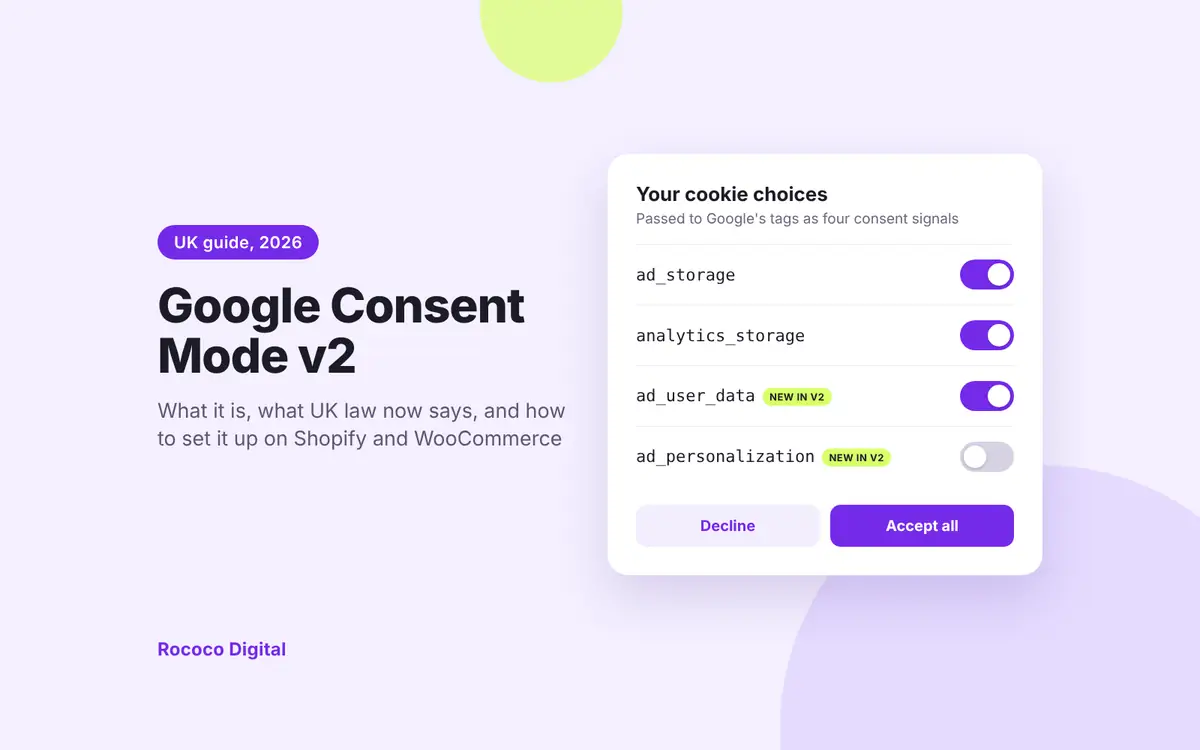
Consent Mode is a way of telling Google’s tags (Google Ads, GA4, Floodlight) what each visitor agreed to on your cookie banner. The tags then change how they behave. Version 2, introduced in November 2023, added two signals to the original two:
| Signal | What it controls |
|---|---|
| ad_storage | Whether advertising cookies and identifiers can be set and read |
| analytics_storage | Whether analytics cookies, such as GA4’s, can be set and read |
| ad_user_data (new in v2) | Whether user data related to advertising can be sent to Google |
| ad_personalization (new in v2) | Whether the visitor can be shown personalised ads, including remarketing |
If ad_user_data and ad_personalization are missing, Google treats the visitor as not having consented to them. For an online shop, that means fewer people in remarketing lists and less conversion data reaching Google Ads, even from visitors who clicked accept.
Basic or advanced: which mode to use
Google offers two ways to implement it, and the difference matters for how much data you keep.
- Basic mode. Google’s tags do not load at all until the visitor makes a choice. If they decline, nothing is sent to Google, not even the fact that they declined. Google can still model some conversions, but only with a general model.
- Advanced mode. The tags load straight away with consent set to denied. Until the visitor accepts, they send cookieless pings with no identifiers. Google uses these to build a model specific to your account, which fills more of the gap in conversions from people who declined.
Most online shops spending meaningfully on Google Ads choose advanced mode, because the modelled conversions feed Smart Bidding. Basic mode is the more cautious choice if your legal advice is that no request should reach Google before consent. Either way, conversion modelling only switches on once your tags reach Google’s data thresholds, so small accounts may see little modelling at all.
What UK law says now
Cookie rules in the UK sit under PECR, enforced by the Information Commissioner’s Office. The Data (Use and Access) Act 2025 changed them, and the ICO finalised its updated guidance on storage and access technologies in April 2026. In short:
- Analytics can now be exempt. A new statistical purposes exception lets you set cookies to collect aggregate statistics about how your site is used, in order to improve it, without consent. You must give clear and comprehensive information and a simple, free way to object.
- Third parties are only covered in a narrow way. An analytics provider can help you, but only on your behalf and only to improve your service. If the data is used for anything else, the exception does not apply.
- Advertising still needs consent. The ICO is explicit: online advertising purposes, including ad measurement, are not exempt from PECR’s consent requirements. Google Ads conversion tracking and remarketing tags still need an opt in.
Whether GA4 fits the statistical purposes exception on your site depends on how it is configured, including whether it is linked to Google Ads and shares data for advertising. Take advice on your own setup. What has not changed is the part that matters most for Consent Mode: anything to do with ads still needs a yes on the banner, and Consent Mode is how that yes or no reaches Google.
How to set it up on Shopify
- Choose a banner that speaks Consent Mode v2. Shopify’s own cookie banner works with its Customer Privacy API, and Shopify’s Google and YouTube app reads that consent. Third party consent apps that are Google certified CMPs send all four signals directly.
- Use one route for Google tags. Install Google Ads and GA4 either through the Google and YouTube app or through Google Tag Manager in a custom pixel, not both. Duplicate tags double count conversions and confuse consent.
- Set defaults to denied for UK and EU visitors. The default state applies before the visitor chooses. It should be denied for all four signals where consent is required.
- Test it. Use Tag Assistant to load the store, check the default state shows denied, accept on the banner, and confirm all four signals update to granted. Repeat with decline.
If you also use Tag Manager on Shopify, our guide to using Google Tag Manager with Shopify under GDPR covers the container side.
How to set it up on WooCommerce
- Install a consent plugin that supports Consent Mode v2, ideally a Google certified CMP, and switch its Consent Mode setting on.
- Load Google tags through Tag Manager or Google’s Site Kit, not hard coded in the theme, so the consent defaults run before any tag fires.
- Check the order. The consent default must be set before the Google tag loads. If the tag loads first, it sends data before the banner has had its say.
- Test with Tag Assistant, the same way as on Shopify.
Common mistakes we find in audits
- Only ad_storage and analytics_storage are sent, so Google treats every visitor as not consenting to the two newer signals.
- The banner looks right, but tags fire before the consent default is set.
- Google tags are installed twice, once by an app and once in Tag Manager.
- Defaults are set to granted for UK visitors, which records data without consent.
- Nobody checks after a theme change or app update, and the setup quietly breaks.
Each of these costs you data in Google Ads, and the first two are the most common. If your conversions dropped and nobody can say why, consent is one of the first places we look when we take on a Google Ads management account.
Consent Mode v2 FAQs
Is Consent Mode v2 a legal requirement in the UK?
No. UK law requires consent for advertising cookies, which is what your banner collects. Consent Mode v2 is Google’s requirement for passing that consent to its tags. Google’s EU user consent policy covers UK, EEA and Swiss users, and without the v2 signals you lose personalised ads, remarketing and some measurement for EEA users.
Does Consent Mode replace a cookie banner?
No. Consent Mode does not ask visitors anything. It takes the answer from your banner and tells Google’s tags what they are allowed to do.
Do analytics cookies still need consent in the UK?
Not always. Since the Data (Use and Access) Act 2025, cookies used only to collect aggregate statistics to improve your own site can be exempt, as long as you explain them clearly and give a simple, free way to object. Cookies used for advertising, including ad measurement, still need consent.
Should I use basic or advanced Consent Mode?
Advanced mode keeps more data, because Google can model conversions from cookieless pings using a model specific to your account. Basic mode sends nothing before consent. Most stores that rely on Smart Bidding choose advanced, but check it with whoever advises you on privacy.
Sources
- Google, Set up consent mode on websites.
- Google Ads Help, About consent mode.
- Google, EU user consent policy.
- ICO, Guidance on the use of storage and access technologies: what are the exceptions?, finalised April 2026.
Checked on 30 October 2026. This is general guidance, not legal advice.